Birds Near Me 2
A first look at the next Birds Near Me, the field guide to the birds seen near you lately. Nothing here is final, and I'd like to hear what you think.
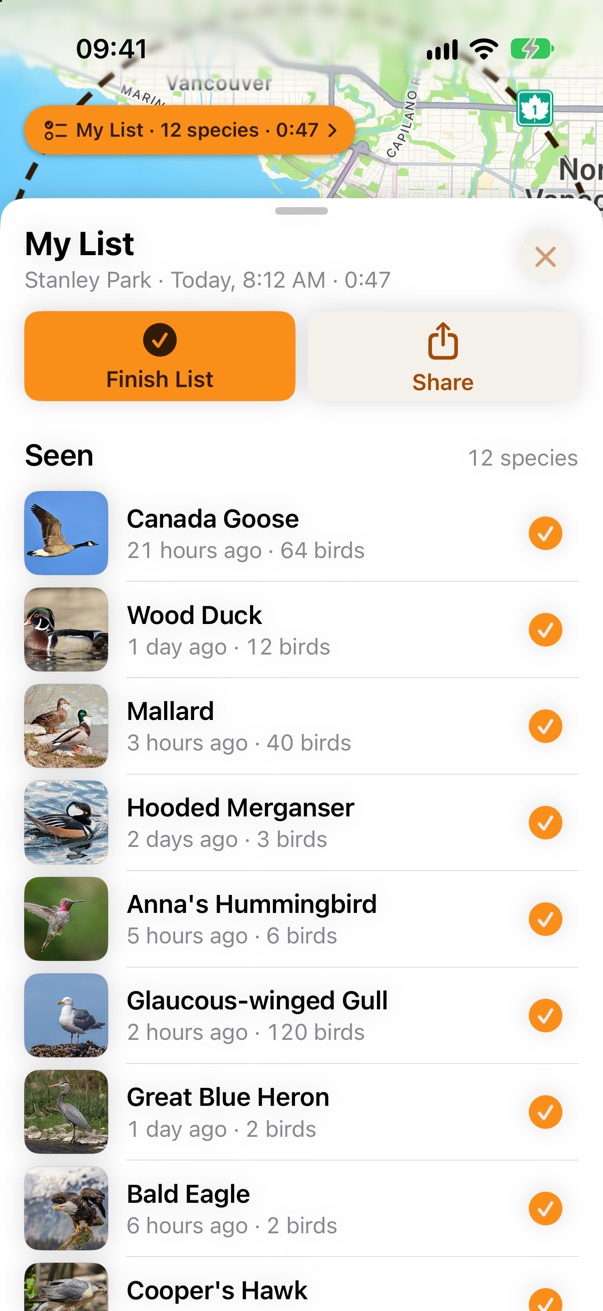
What's changing
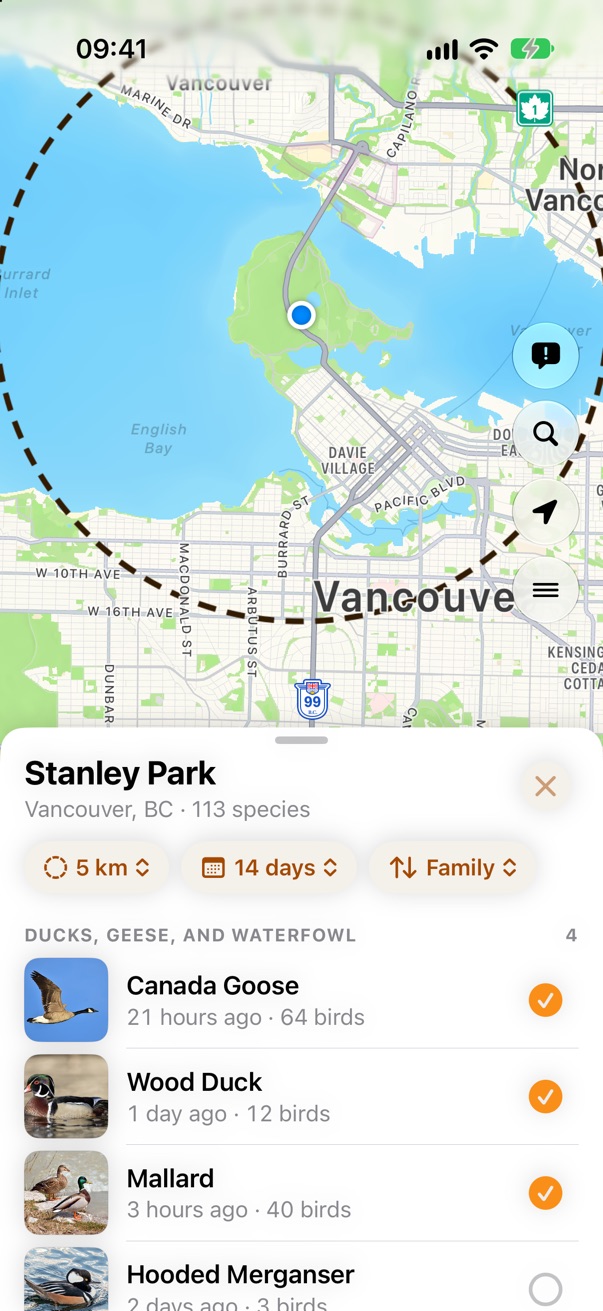
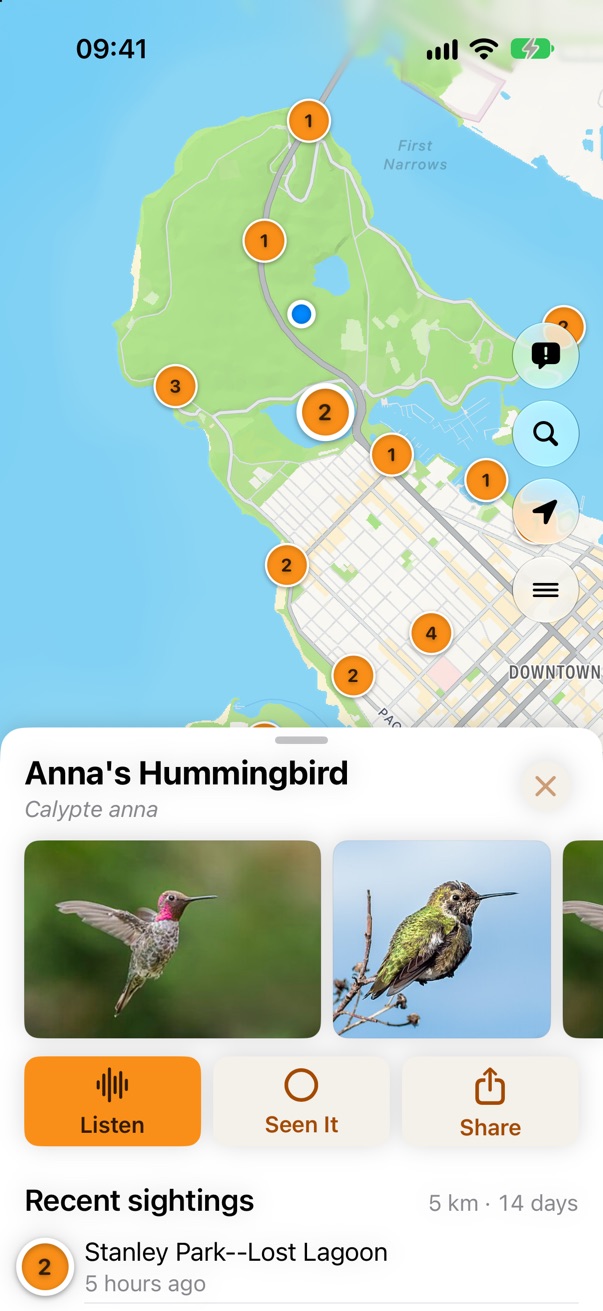
- The map stays on screen. Everything opens in a sheet over the map, like Apple Maps, and the map always shows where the birds on the sheet were seen.
- Sorted like a field guide. Nearby birds are grouped by family, so the sparrows are together when you're trying to tell them apart.
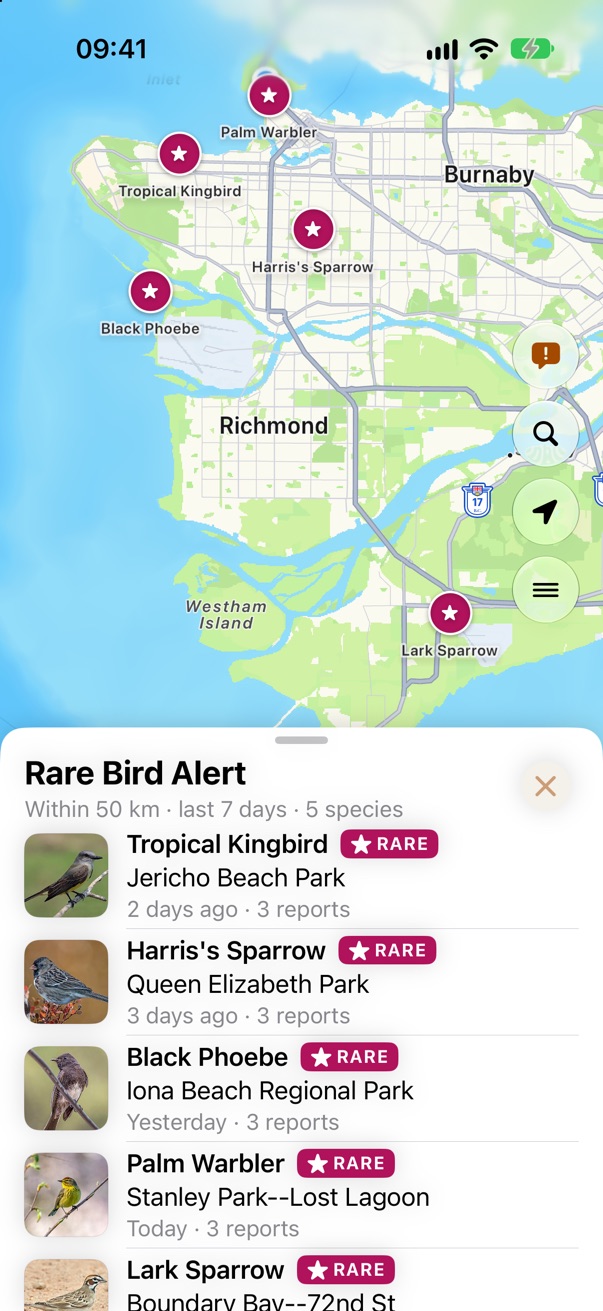
- Rare birds stand out. Anything eBird flags as rare is marked in magenta, and Rare Bird Alert lists every rare sighting around you.
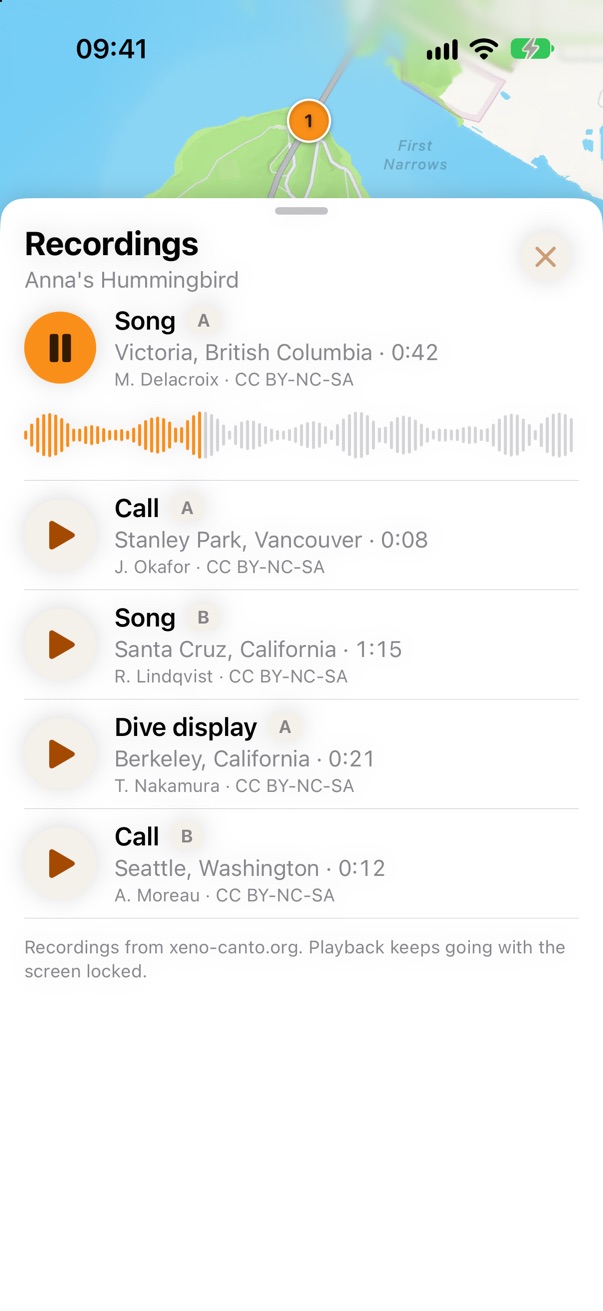
- Photos first. A bird opens on big photos, then its songs and calls, recent sightings near you, and a short description.
- Tick what you see. One tap adds a bird to today's list, which you can send to eBird when you're done. No account.
- Made for the field. Bigger buttons for cold hands, the controls in reach of your thumb, white pages that read in sunshine, and a list that still shows when you lose signal.
- Still Birds Near Me. Free, no ads, no accounts, no tracking, anywhere in the world.
What do you think? Tell me what works, what doesn't, and what you'd miss from today's app.
Email your feedback.
Look closer
- What's New: every change, one card at a time.
- Layout: how the sheets work, every screen, and the app as it is today.
- Map: sightings, the search area, rare birds and range maps.
- Design System: the rules every screen follows, and the choices still open.
Most pictures here are from a mockup of the redesign with made-up sightings around Stanley Park, Vancouver. Pictures of today's app use real sightings from eBird.
Birds Near Me 2 • Send Feedback • Birds Near Me 1 • © 2026 Gerry Shaw